
See every SEO problem right on the page
Audit any page you open in Chrome – SEO, answer engines and AI search – and switch on the live highlighter to see headings, missing alt text and broken links marked directly on the page.
What it does
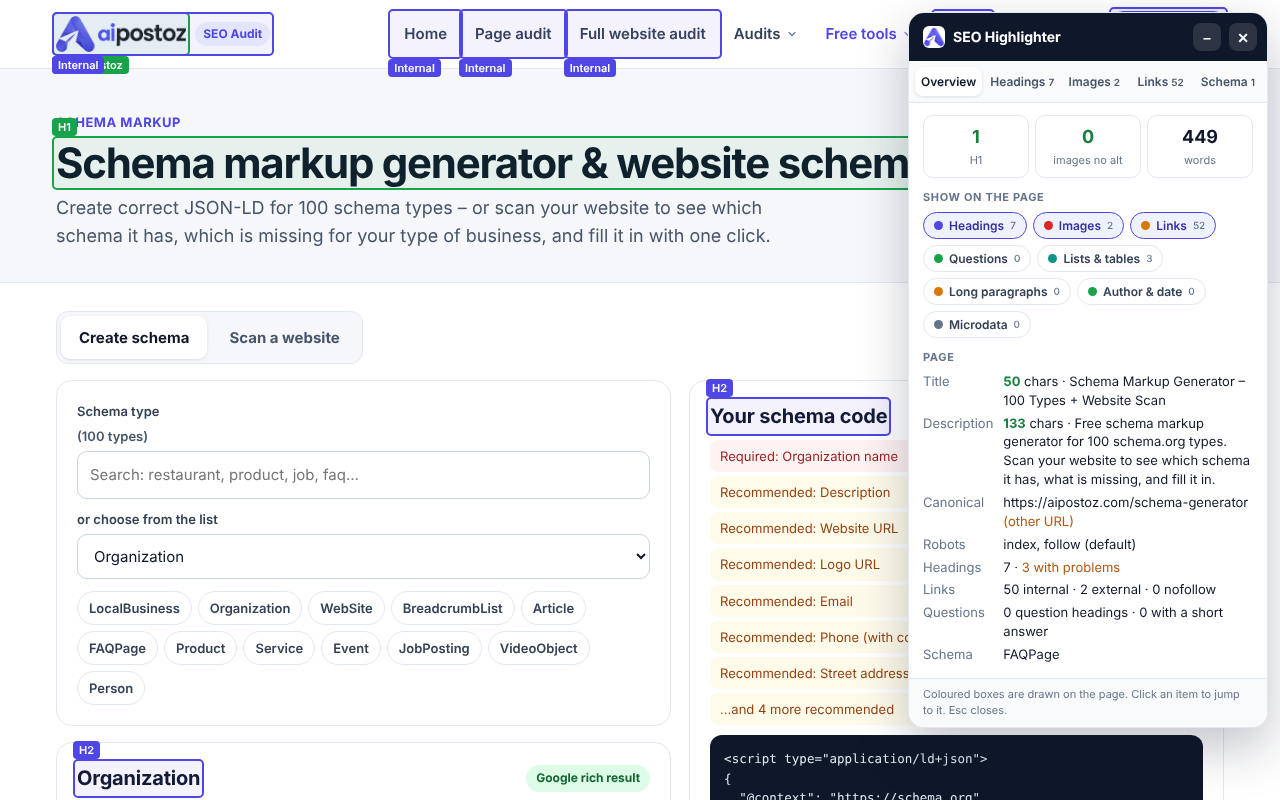
Live page highlighter
Opens a panel on the page and draws boxes over headings, images without alt, links (with a broken-link check), questions, lists and schema. Click any item to jump to it.
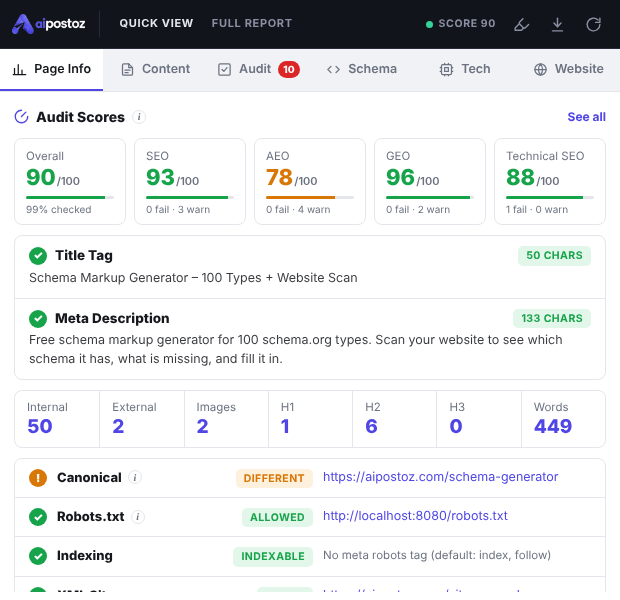
~100 SEO, AEO & GEO checks
Title, meta, headings, canonical, robots, links, answer-engine readiness and AI-search signals – with the reason and the fix for each.
Schema check
Every JSON-LD and microdata block on the page, broken code, missing required properties and entity links.
Full website scan
Basic SEO checklist, AI SEO audit, site structure, missing schema, images without alt and H1–H6 for a whole website.
Tech & tracking
Platform (WordPress, Shopify…), Google Analytics, Tag Manager, Search Console, Meta Pixel and Google Ads IDs – even tags loaded inside GTM.
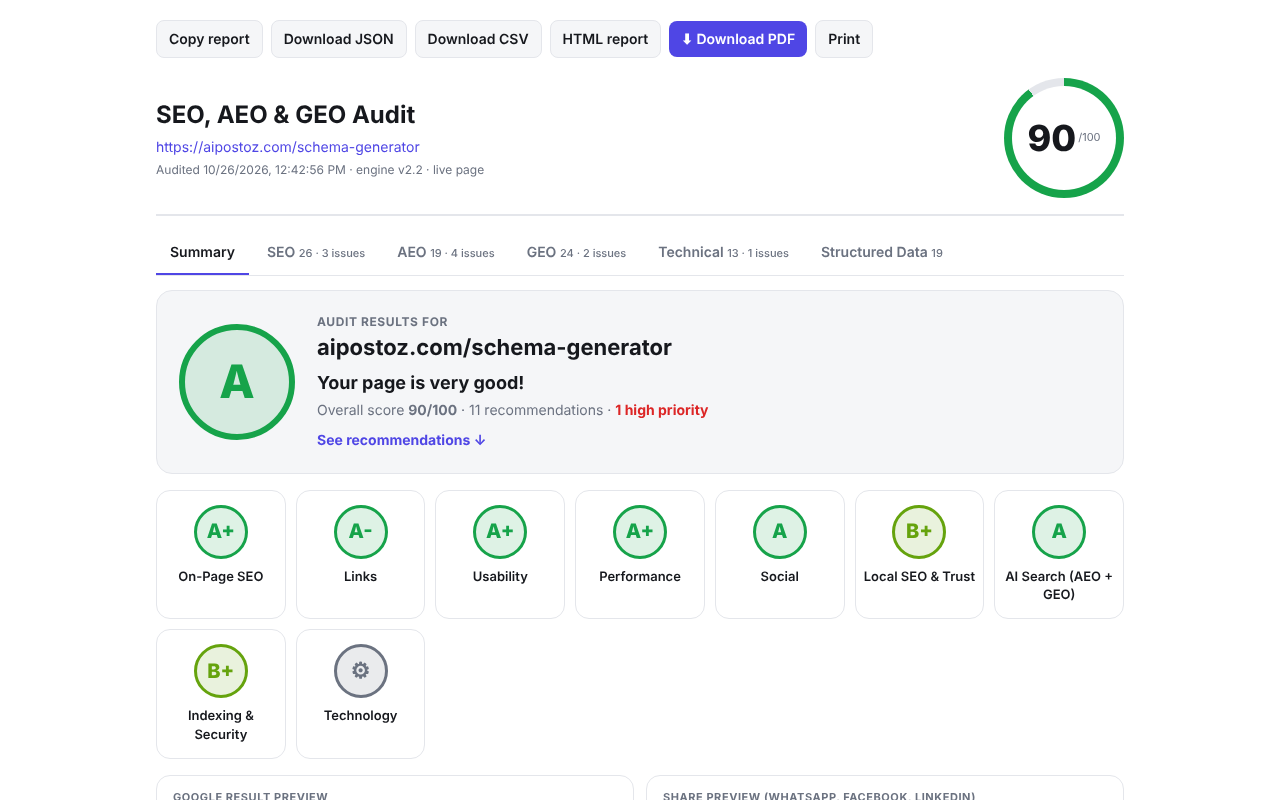
PDF, CSV & JSON reports
A visual report with grades, plus exports to send to clients or your developer.
Before / after history
Every check is saved in your browser so you can see what got fixed between two audits.
Competitor compare
Your page against up to three competitor pages, check by check.
Screenshots
Install in 1 minute
- Download the ZIPClick "Download free extension" above. The file goes to your Downloads folder.
- Unzip itRight-click the ZIP → Extract all (Windows) or double-click it (Mac). Keep the folder somewhere safe, e.g. Documents – Chrome uses it from there.
- Open the extensions pageType chrome://extensions in the address bar and press Enter (Edge: edge://extensions).
- Turn on Developer modeSwitch on "Developer mode" in the top-right corner.
- Load unpackedClick "Load unpacked" and choose the unzipped folder (the one that contains manifest.json).
- Pin itClick the puzzle icon next to the address bar and pin the extension. Open any website and click it to run a check.
Keep "Developer mode" switched on and do not delete the unzipped folder – Chrome loads the extension from it.
Questions
Is the extension free?
Yes, completely free. No account, no API key and no paid plan.
Why is it a ZIP file and not on the Chrome Web Store?
We share it directly from our website. Chrome installs it in "Developer mode" with "Load unpacked" – it takes about a minute and the steps are on this page. Keep Developer mode switched on, otherwise Chrome turns the extension off.
Does it send my pages anywhere?
No. Checks run inside your browser. The extension reads only the page you check (and, for a website scan, the pages of that website that you allow). Nothing is sent to our server.
Which browsers does it work in?
Google Chrome, Microsoft Edge, Brave and other Chromium browsers on a computer (Windows, Mac, Linux, ChromeOS). Mobile browsers cannot run extensions.
How do I update it?
Download the new ZIP from this page, replace the old folder with the new one, then open chrome://extensions and press the reload (↻) button on the extension. Your settings and history stay.
What is the difference from the website tools?
The extension checks the page as your browser shows it: content added by JavaScript, tags loaded by Google Tag Manager, images that fail to load – and it can draw boxes on the page with the live highlighter.